GeoGuessr
- 3.9
- Rating
- 10.00M
- Installs
- Free
- Price

 Analysis by App-foxy
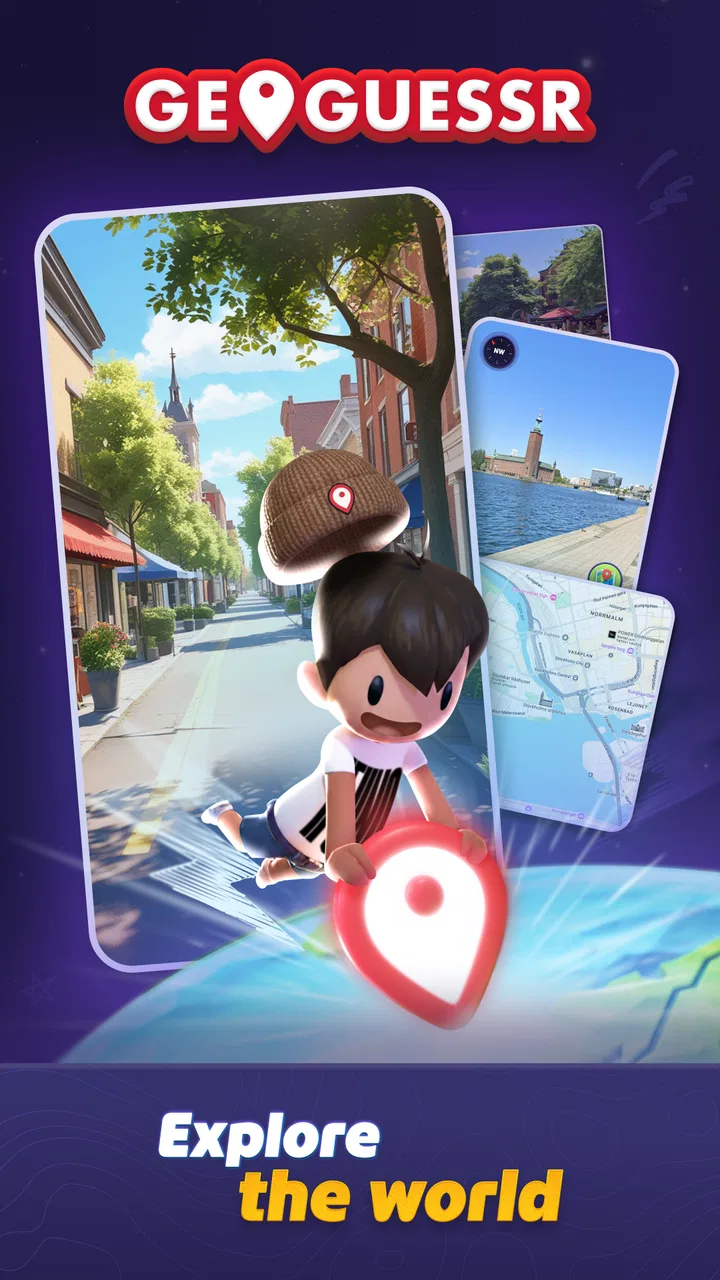
I expected a quick geography quiz, but GeoGuessr feels more like a series of small investigations. You are placed somewhere in the world and must work out your location from what you can observe. A road, a sign, a landscape, the shape of a building, or even the quality of the imagery can become useful evidence. The game is made by GeoGuessr and sits in the trivia category, although it rewards observation and deduction more than memorizing ordinary quiz answers.
My first impression was that the appeal comes from the uncertainty. You are not simply asked to identify a capital or match a flag. You begin with incomplete information, make a guess, and then learn from the result. That makes each round feel personal: even a wrong answer can teach you something if you stop to examine why your reasoning failed.
GeoGuessr is free to install, rated for Everyone, and available for devices running Android 8.1 or later. Its store presence is substantial, with over five million installs and an average rating of 4.6 from around seventy-six thousand ratings. Those figures do not replace personal experience, but they do match my sense that this is an established game rather than a tiny experiment.
You May Also Like

 Pandora - Music & Podcasts
Pandora’s Music Is Easy to Start, but Harder to Recover
Pandora’s strength is its low-effort path from a seed to a station. Its weak spot is how much confidence it asks you to place in connection, setup, and quiet recovery.

 AccuWeather: Weather Radar
AccuWeather Review: A Quick, Clear Forecast for Everyday Decisions
For everyday plans, the best forecast is the one you can understand quickly. AccuWeather makes rain timing, radar, and local conditions easy to act on, with a few trade-offs.

 Hill Climb Racing
Why Hill Climb Racing Still Turns Crashes Into One More Run
A tiny car, a bumpy hill and one more upgrade: Hill Climb Racing keeps resurfacing because its simple chaos makes every near-miss feel personal.

 AliExpress - Shopping App
AliExpress Makes Global Shopping Feel Personal, but Shoppers Bear the Risk
AliExpress turns a global marketplace into a pocket-sized discovery engine. Its reach is useful, its shopping loop compelling, and its trade-offs easy to miss.

 Lords Mobile: Kingdom Wars
Lords Mobile Is a Kingdom-Building Routine, Not a Quick Match
A case-by-case verdict on the building, battles, device demands, and social commitments that make Lords Mobile rewarding for some players and exhausting for others.

 PDF Scanner app - TapScanner
TapScanner Makes Paperwork Easier to Capture, Check, and Share
TapScanner makes scanning with a phone feel less like a rescue operation and more like a dependable step in getting work done. Its capture tools are useful, though not flawless.
More From Our News Desk
View All News


What the first session really feels like
The best way to approach the game is to forget the idea that you need to recognize every country immediately. At the beginning, I found it more helpful to divide the scene into questions: What side of the road is being used? Does the road marking look familiar? Is the terrain dry, tropical, mountainous, or urban? Are there clues in the language, architecture, utility poles, or road signs?
This turns a vague guessing task into a repeatable process. You do not need one magical clue. Several ordinary clues can point in the same direction. A broad road may suggest very little on its own, but the road surface, sign shape, vegetation, and nearby buildings together can narrow the possibilities considerably.
The game is especially enjoyable when you treat every round as a visual puzzle instead of rushing to place a marker. I sometimes make an early guess because I recognize a general region, then revise it after noticing that the landscape does not fit. That second look is often where the meaningful success happens. Even when the final location is not perfect, I feel I have played well if my reasoning became more precise.
There is also a useful difference between knowing a place and recognizing its visual habits. You may never have visited a particular country, yet you can learn to notice recurring road furniture, sign conventions, roof styles, or landscape patterns. GeoGuessr gives those details a practical purpose, which makes the learning feel less like studying a list.
Install it with the right expectations
The free entry point makes it easy to try without committing money first. However, the game includes in-app purchases ranging from $0.49 to $47.88 per item, so I would not treat the free label as a promise that every possible part of the experience is permanently unlocked without cost. I recommend playing enough to decide whether the location-guessing loop suits you before considering any purchase.
The current version is 9.12. I would still check the compatibility information on your device before installing, especially if you use an older phone or tablet. On a first launch, my practical advice is to begin with the simplest available experience rather than searching for every option immediately. The important first goal is not to understand the entire product; it is to complete one round and learn how the game expects you to investigate a scene.
A stable connection is sensible for a game built around worldwide visual locations, but I would avoid making assumptions about how every mode behaves when connectivity changes. If you are planning to play during travel, test it at home first instead of discovering limitations on a train or in an airplane. That small check can prevent a frustrating first session.
How I approached my first meaningful success
My first useful breakthrough came when I stopped trying to identify the exact city. I focused on the country or broad region first. That reduced the pressure and gave me a logical order for the clues. Once I had a likely area, I looked for details that could disprove it rather than collecting evidence only in its favor.
Here is the workflow I would suggest to a new player:
Start with the largest clues: climate, terrain, settlement density, and driving side.
Read every visible sign carefully, even when the text is too small to understand. Letter shapes and script can still be informative.
Inspect road markings, poles, barriers, signs, and buildings before choosing a location.
Separate confidence levels. “This looks like the right continent” is not the same as “this must be this town.”
Place the guess only after deciding which clue matters most and which clue could be misleading.
This method helped me avoid a common beginner mistake: treating one familiar-looking object as proof. A red-roofed house, a dry hillside, or a certain type of sign can appear in more than one place. The stronger approach is to build a cluster of clues that agree with one another.
A realistic everyday use case is a short break between errands. I can play one round while waiting for an appointment, but I do not need to play casually. If I have more time, I can slow down and study the scene; if I have less, I can make a fast regional guess and use the result as a quick lesson. That flexibility makes it easier to return to than a long-form strategy game.
The clues beginners usually overlook
The obvious clues are flags, readable signs, and famous landmarks. The more valuable clues are often less dramatic. Road lines can reveal local habits. The spacing of houses can suggest whether you are near a dense town or a rural settlement. Utility poles may differ in material, shape, and arrangement. Even the way a road meets a junction can provide regional context.
One technique I found useful was to compare the whole scene with the weather rather than focusing only on vegetation. Green plants do not automatically mean a humid tropical location, and brown ground does not always indicate a hot desert climate. Seasonal conditions, elevation, and recent weather can distort first impressions. I became more accurate when I treated climate as supporting evidence instead of a final answer.
Another useful habit is to look for what is missing. If a place appears urban but has almost no visible commercial signage, that may change how I interpret it. If a road seems modern but the surrounding infrastructure looks older, I avoid assuming the location belongs to the wealthiest nearby region. Absence is not proof, but it can stop an attractive theory from becoming an unquestioned conclusion.
I also recommend remembering the shape of a clue rather than trying to memorize a giant catalog. For example, instead of learning hundreds of isolated sign examples, notice whether signs feel narrow, wide, circular, heavily bordered, or unusually placed. This keeps the learning manageable and makes it easier to apply knowledge in unfamiliar rounds.
Where new players can become confused
The biggest confusion is understanding what counts as a good result. If your guess lands in the correct country but far from the actual location, that is still a meaningful improvement over a random choice. The game encourages precision, but I think beginners should measure progress by the quality of their reasoning first. Exact placement becomes more realistic after you learn to read regional signals.
Another source of frustration is the temptation to move through the scene too quickly. Exploration can reveal a sign or a distinctive building, but it can also make you lose track of the original view. I prefer to pause mentally at the starting point, note the first clues, and then investigate. That gives me something to compare against when later details create doubt.
It is also easy to confuse familiarity with accuracy. A landscape may remind you of a holiday destination, a film location, or a photo you have seen online. That feeling can be useful as an initial hypothesis, but it should not overrule road design or language. My worst guesses usually happened when I trusted recognition before checking the evidence.
Some players may also expect a conventional trivia structure with clear questions and fixed answers. GeoGuessr is different. The challenge is open-ended and visual, so people who prefer rapid-fire facts, word puzzles, or simple multiple-choice rounds may find it less satisfying. Conversely, anyone who enjoys maps, travel videos, geography, or detective-style reasoning will probably understand the appeal quickly.
How it compares with ordinary trivia games
Compared with a standard geography quiz, this game gives you more room to reason but less certainty at the start. A normal quiz might ask which country has a particular capital, while GeoGuessr asks you to infer a location from an entire environment. That makes the experience more immersive, but it also means a round can feel difficult even when you know a lot about geography.
Compared with map applications, it is more focused and playful. A map lets you search deliberately; here, the lack of an obvious starting answer is the point. I cannot simply browse until I find the place. I have to form a theory from the scene, which creates a stronger sense of discovery.
Compared with travel content, the game is interactive rather than passive. Watching a video about a country may give you context, history, and personal stories. GeoGuessr gives you a visual problem to solve. I would choose the game when I want active practice in observation, and a travel app or documentary when I want a fuller understanding of a destination.
The trade-off is that the game can expose gaps in visual knowledge without explaining every detail in a lesson-like way. If you want structured teaching, you may need to take notes separately or research clues after a round. I see that as part of the experience, but it is worth knowing before expecting a complete geography course.
Ways to improve without turning it into homework
I found that short, focused sessions work better than endless guessing. After a round, I try to identify one clue I used correctly and one clue I misread. That simple review creates progress without requiring a formal study plan. Over time, I became more attentive to infrastructure and regional patterns because I had repeatedly seen how much they mattered.
Playing with another person can make the reasoning more enjoyable. One player may notice language while the other notices terrain or road design. The important rule is to explain the guess instead of merely announcing it. Hearing someone justify an incorrect answer can reveal a blind spot that would be difficult to notice alone.
I also recommend keeping your guesses proportionate to your evidence. If all you know is the likely hemisphere and climate, do not pretend you know the exact neighborhood. Make the broadest defensible choice, then refine it when stronger clues appear. This is not only better strategy; it makes the game less stressful.
For parents or teachers considering it for younger players, the Everyone rating makes the age category approachable, but supervision and context still matter in any geography game built from real-world imagery. I would use it as a conversation starter: ask why a child chose a place, what clues they noticed, and what changed after the result. That turns a solitary guessing activity into practical visual learning.
Who should try it and who should skip it
I would recommend GeoGuessr to curious players who like maps, travel, visual puzzles, and the satisfaction of improving through mistakes. It is particularly good for someone who wants a game that can be played casually but also rewards serious attention. The free starting point lowers the risk, and the large player base suggests it has enough staying power to support repeated sessions.
I would be more cautious if you dislike uncertain answers or find it irritating when a scene offers only subtle clues. The game can feel unfair when you want a clear path to the solution, even though that ambiguity is central to its design. Players looking for a fully offline experience, a conventional question-and-answer format, or a carefully guided lesson may be happier with a different type of geography app.
People who are sensitive to optional spending should also decide on a boundary before exploring the purchase options. Since individual in-app items can cost from $0.49 up to $47.88, I would keep the free experience as the test and avoid buying anything during the excitement of a difficult or successful session.
My final recommendation for a first-time player
My advice is to install it, begin with one uncomplicated round, and judge your progress by the clues you can explain rather than by whether you immediately pinpoint the location. Give yourself permission to be wrong. The first meaningful success is not necessarily a perfect guess; it is noticing that a road marking, sign style, or landscape detail changed your decision.
After that, play a few short sessions using the same investigation order: broad environment, road and infrastructure, language or signage, then location. This prevents random guessing and makes improvement visible. If you enjoy that process, the game has enough depth to become a regular hobby. If you find yourself wishing every round were a clear fact question, that is a useful sign that another trivia format would suit you better.
With its free entry, Everyone rating, and focus on real-world visual deduction, GeoGuessr is an inviting choice for first-time geography gamers. I like it because it makes ordinary details feel important and turns mistakes into information. It is not the simplest trivia game, and its optional purchases deserve attention, but for me the central loop remains compelling: observe carefully, make a reasoned guess, learn from the result, and try again with sharper eyes.
FAQs for GeoGuessr
01What is GeoGuessr and how does it work?
GeoGuessr is an interactive geography game that uses Google Street View images to challenge players to identify locations around the world. Players are dropped into a random spot and must use visual clues from the environment, such as road signs and landmarks, to guess their location on a map. The closer the guess, the more points scored.
02Is GeoGuessr available on both Android and iOS?
Yes, GeoGuessr is available for download on both Android and iOS platforms. The app provides a seamless experience across devices, allowing players to enjoy the game on their smartphones or tablets. It offers similar features to the browser version, ensuring that users can access all the fun on the go.
03Does GeoGuessr require an internet connection to play?
Yes, GeoGuessr requires an internet connection to function. This is because the game relies on Google Street View data, which needs to be streamed to the app in real-time. Players should ensure a stable internet connection to avoid any interruptions during gameplay and to fully enjoy the immersive experience.
04Are there different modes or challenges in GeoGuessr?
GeoGuessr offers various modes and challenges to keep the game engaging. Players can choose from single-player mode, multiplayer challenges, or themed maps that focus on specific regions or topics. These options provide diverse gameplay experiences, catering to different skill levels and interests, enhancing replayability.
05Is there a cost associated with playing GeoGuessr?
GeoGuessr offers both free and paid versions. The free version provides limited playtime, while a subscription unlocks unlimited access and additional features. The subscription model allows players to explore without restrictions, participate in competitive modes, and access exclusive maps, enhancing the overall gaming experience.
Pros
- Engaging and educational gameplay.
- Diverse maps enhance exploration.
- Smooth user interface experience.
- Multiplayer mode is highly interactive.
- Regular updates with new features.
Cons
- Requires internet connection to play.
- Limited free play without subscription.
- Some locations may repeat often.
- High battery consumption on mobile.
- Ads can be intrusive for free users.

GeoGuessr
Gallery